How a CAN bus emulator unlocked a replacement ECU without changing a single byte — case study with real CAN log data
1. The request — what arrived on the bench
A customer sent us a Bosch ME7.7.0 engine ECU from a Smart 451 ForTwo with a request for immobiliser emulation. The ECU was a replacement unit — sourced from the secondary market, correct part number, matching hardware revision. When installed in the customer’s vehicle, the engine would not start. The immobiliser was blocking it.
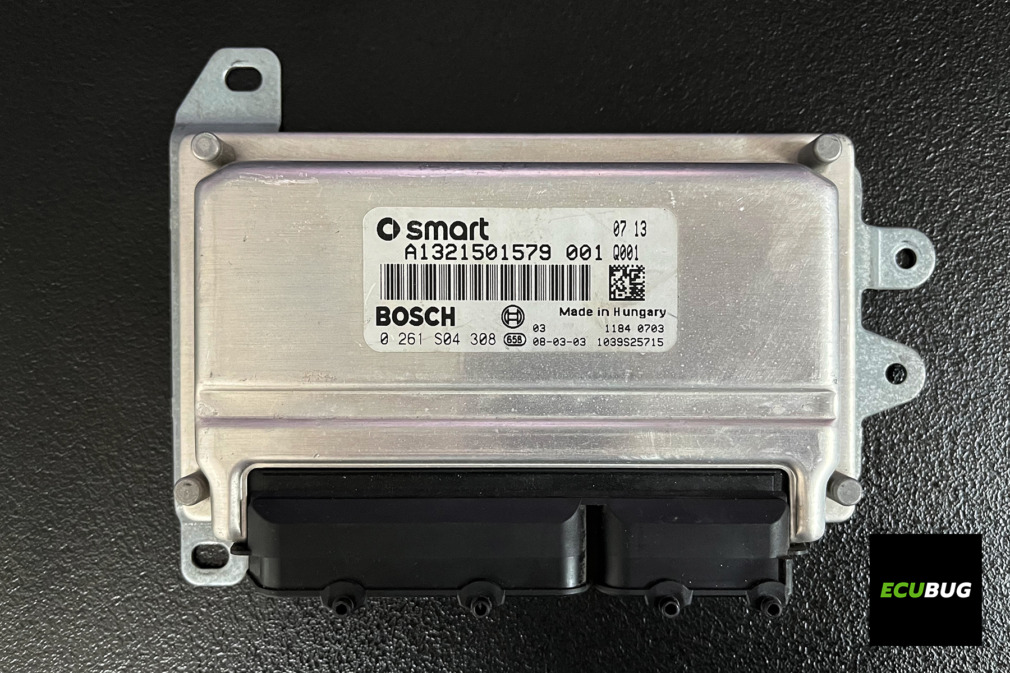
The exact symptom depends on the specific situation — whether only the ECU has been swapped, whether the keys match the data in the central electronics module, and other factors. In this case, the immobiliser prevented the engine from starting. The dealer solution: a new ECU from Bosch (€620) plus coding (€330). Total: €950, three-week lead time.
The customer’s original ECU was beyond repair — damaged by overvoltage and short circuits. The EEPROM was burnt out, data unrecoverable. So there was no original “paired” ECU to extract data from. The only unit we had to work with was the replacement ECU itself.
How we work: We do not accept vehicles — only electronic modules. The customer ships the ECU to us (or sends an EEPROM dump file). We work on the bench: programmer, EEPROM reader, hex editor, CAN analyser. The finished unit ships back ready to install.
2. Why an emulator — the principle
On the Smart 451 with Bosch ME7.7.0, the ECU and the immobiliser system communicate over the CAN bus at 500 kbps. Every time the ignition is switched on (KL15), the ECU sends an authentication request to the immobiliser. The immobiliser must respond with the correct authorisation. If the response is wrong or missing, the ECU will not permit engine start.
On Smart vehicles, the IMMO handshake has always run over CAN — this applies to all Smart generations, not just the 451. On other vehicle platforms, some Bosch ME7.x variants use K-Line or a dedicated IMMO line for the authentication. If you are used to K-Line based IMMO solutions from other cars, be aware that they will not work on a Smart — the solution must operate on the CAN bus.
How the emulator works
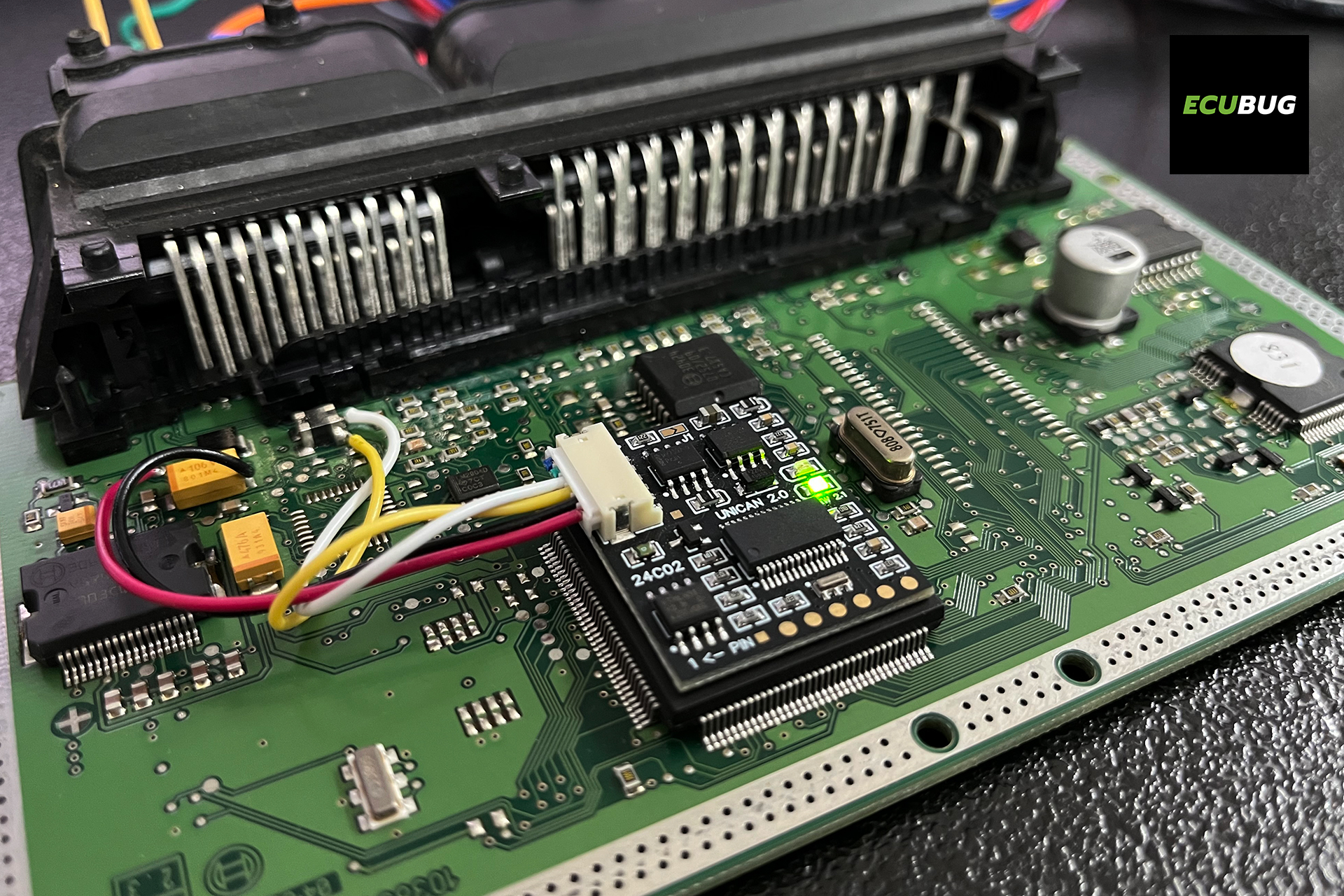
A CAN bus emulator is a small module connected to the CAN bus. When the ECU sends its authentication request, the emulator responds on behalf of the immobiliser system with the correct authorisation. The ECU then signals to the vehicle’s systems: “I am OK, start is permitted.”
The synchronisation data needed to configure the emulator are prepared from the data of the specific ECU that needs to be unlocked — not from the vehicle’s original ECU (which in this case no longer existed). The emulator unlocks this particular ECU and enables it to authorise engine start.
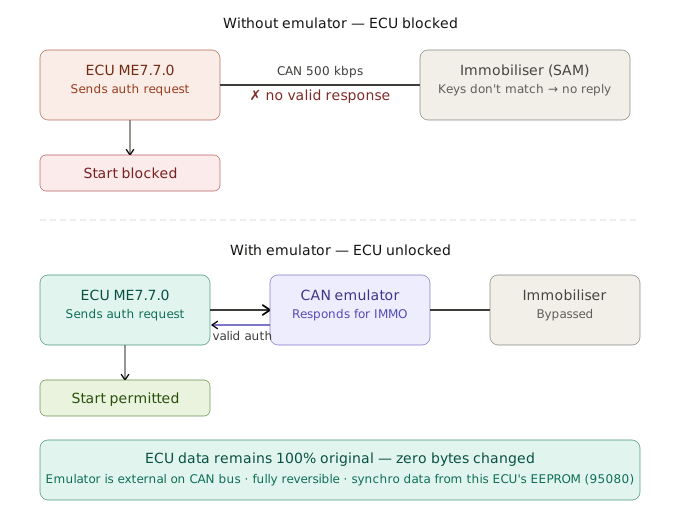
Key advantage: non-invasive. The ECU’s data remains 100% original — no bytes changed, no firmware modified, no EEPROM rewritten. The emulator is an external module on the CAN bus. If it is ever removed, the ECU returns to its original state. This is fundamentally different from IMMO-off solutions, which permanently alter the data inside the ECU.
3. CAN bus analysis — what we saw on the bus
Before configuring the emulator, we logged the CAN bus activity after switching on the ignition (KL15). No start attempt was needed — the IMMO handshake happens as soon as the ignition is on. The goal was to confirm that the challenge-response exchange is present on CAN and to observe its structure.
Setup
A CAN analyser connected directly to the CAN pins on the ECU connector — when working on the bench, there is no OBD-II port. In the vehicle, the ECU is not connected directly to the OBD-II socket; it goes through other modules (in this case, the central electronics module). Bus speed: 500 kbps. The log was captured in binary format and analysed offline.
What the log showed
The log captured 3,146 CAN frames across 6 distinct message types. The IMMO-related frames appear within milliseconds of KL15. The ECU sends an authentication request; the immobiliser system is expected to respond. With an unpaired replacement ECU, the correct authorisation is not present, and the ECU keeps the engine locked.
| Msg ID | Frames | Sample payload | Role |
|---|---|---|---|
0x1202 | 1007 | 05 78 00 00 07 D0 E7 D0 | Periodic (ECU status) |
0x1203 | 1006 | 27 25 F4 80 08 7C 07 D0 | Periodic (ECU status) |
0x1002 | 503 | 00 00 00 00 00 80 00 FF | Periodic |
0x0803 | 503 | 00 62 65 02 20 FF 03 FF | Periodic |
0x0806 | 101 | 1E 00 41 B9 00 00 00 00 | Lower frequency |
0x0101 | 26 | 00 D2 4C F7 04 F7 1E EF | Low frequency |
The paired message types 0x1202/0x1203 dominate the bus with roughly equal frame counts — these are periodic status messages from the ECU. The data patterns confirmed that the handshake is present and follows the expected structure for ME7.7.0.
Smart vehicles: IMMO is always on CAN. On Smart vehicles, the immobiliser has always communicated over CAN — there was never a K-Line IMMO implementation on any Smart generation. On other platforms (VAG, PSA, etc.), some Bosch ME7.x ECUs use K-Line or a dedicated IMMO line for authentication. If you are coming from other vehicles and are used to K-Line IMMO tools, they will not work on a Smart. The entire IMMO dialogue runs on CAN at 500 kbps.
4. EEPROM and synchronisation data — the key ingredient
For the emulator to respond correctly to the immobiliser’s challenge, it needs synchronisation data. These values are prepared from the EEPROM of the specific ECU that needs to be unlocked — the replacement unit itself.
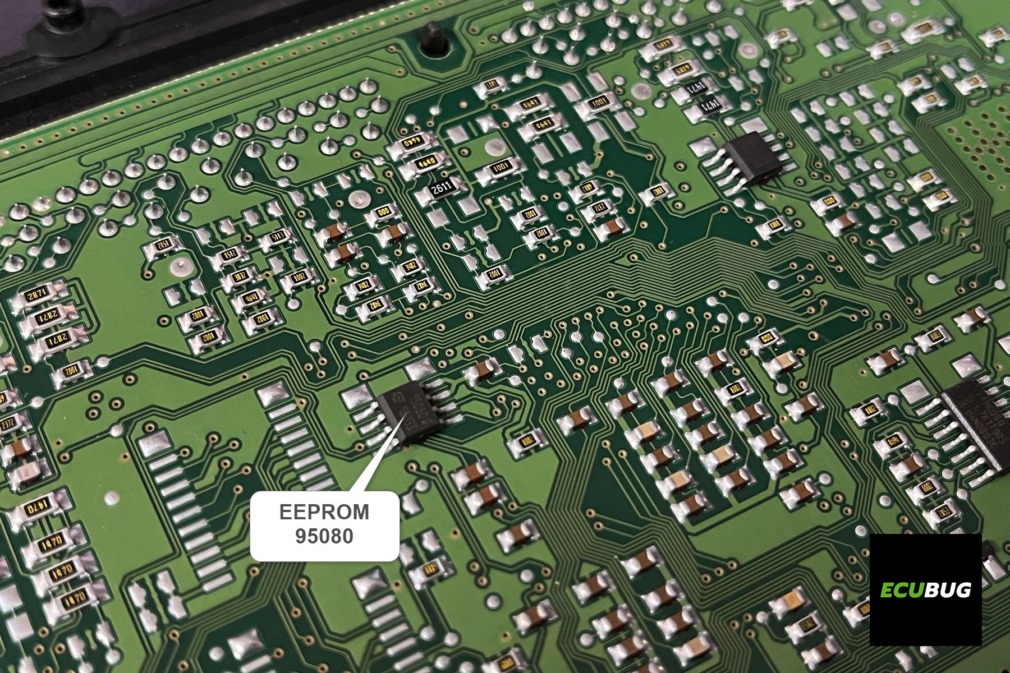
The ME7.7.0 board is built around an ST10F275 processor and carries an external 95080 EEPROM. We read the EEPROM with a programmer and verified the dump. The EEPROM contains several data regions; the IMMO-related block holds the synchronisation values needed to configure the emulator so it can unlock this particular ECU and enable engine start authorisation.
What we offer as a service
Extracting the correct synchronisation data requires knowledge of the EEPROM layout for the specific ECU type. This is specialised work beyond simply reading the chip. We offer two options:
Option A — You send us the EEPROM dump (.bin file you read yourself). We extract the synchronisation data and prepare the emulator configuration file. Price: €50 excl. VAT.
Option B — You send us the ECU. We read the EEPROM, prepare the data, configure and install the emulator, test on the bench, and ship back ready to install. Full service price: €190 excl. VAT (emulator included). DHL shipping additional.
Both options available at ecubug.com. We ship across the EU.
We do not publish the specific EEPROM offsets or the extraction procedure. The synchronisation byte locations vary by ECU type and firmware version, and incorrect values result in a non-functional emulator. This is why we offer it as a service — to ensure it works on the first attempt.
5. The result — first start
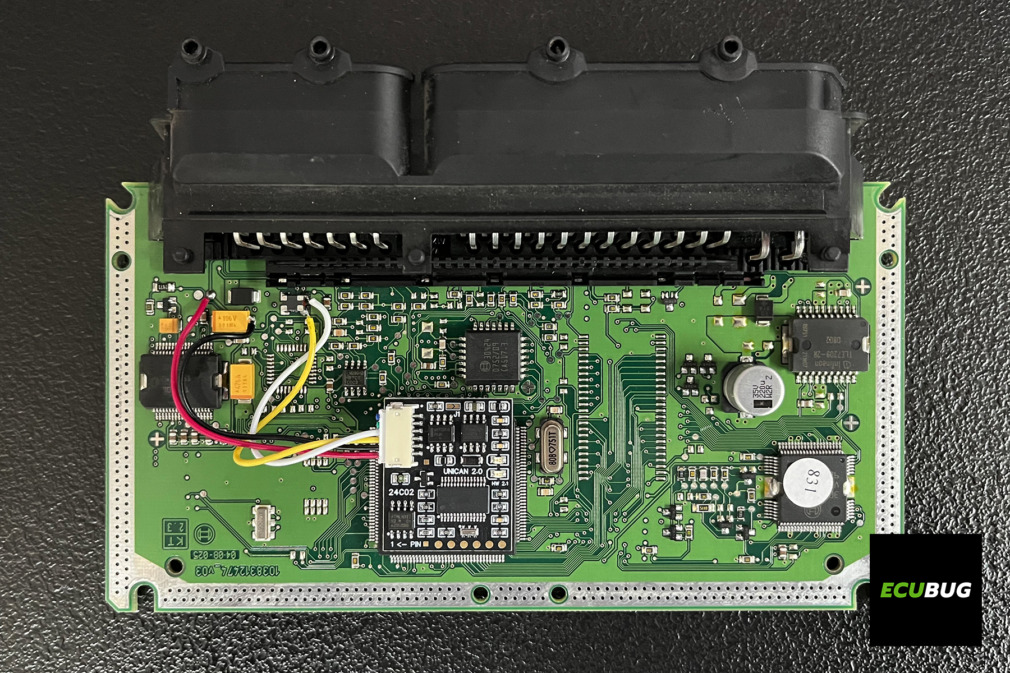
With the emulator configured and connected to the CAN bus, we tested on the bench. Ignition on: the ECU sent its authentication request. The emulator responded with the correct authorisation. The ECU confirmed to the vehicle’s systems that start is permitted. The engine started normally — no warning lights, no fault codes.
Cost comparison
| Solution | Cost | Time |
|---|---|---|
| Dealer: new ECU + coding | €950 | 3 weeks |
| Emulator: full service (Option B) | ~€250 * | 2–3 days |
| Emulator: DIY + data service (Option A) | ~€110 + shipping ** | Same day |
** Emulator purchased separately (€59 + shipping) + data extraction service (€50). See product pricing: UNICAN 2 emulator · Data extraction service · Full ECU service
Fully reversible — zero changes to ECU data. The ECU’s EEPROM was not written to. The firmware was not flashed. The calibration data is untouched. The emulator is an external module on the CAN bus — if removed, the ECU returns to its original state as if the emulator was never there.
6. Your options
If you need immobiliser emulation for a Smart 451 ECU — or a similar Bosch ME7.7.0 unit — here is how we can help:
Buy the emulator — do it yourself
Purchase the CAN bus emulator from ecubug.com (€59 excl. VAT, plus shipping — depends on destination country and carrier, typically DHL Express). Every unit ships with a PDF guide covering the physical wiring of the emulator into the ECU, and an EEPROM configuration template showing the structure and layout of the emulator’s memory. This does not include a ready-made configuration for your specific ECU — you prepare that yourself from the ECU’s EEPROM data. If you prefer not to do this step, add our data extraction service below.
Buy the emulator + data extraction service
If you can read the ECU’s EEPROM yourself but prefer not to locate the synchronisation bytes manually, add our data extraction service (€50 excl. VAT). Send us the .bin dump, we return the ready-to-use emulator configuration. The most popular option among independent workshops.
Full service — send us the ECU
Ship us the ECU. We handle everything: EEPROM reading, data extraction, emulator configuration, bench testing, and return shipping. Price: €190 excl. VAT (emulator included), plus DHL shipping. Available across the EU.
Get in touch: Visit our car services catalogue for emulator pricing and ordering. For service enquiries, contact us via the contact page.